


realestate.com.au - Property
4.5148.00 Reviews
App Specs
- Version
- 5.343.0
- Updated On
- License
- Free
- Downloads
- 5,000,000+
- Developer
- realestate.com.au
- Categories
- House & Home
- Platform
- Android, iOS
Screenshots


 Analysis by AppCompare
When a household starts looking for a place together, the hard part is often not finding listings but keeping everyone focused on the same needs. I see realestate.com.au - Property as a useful shared starting point: one person can browse, another can check the map, and everyone can talk through the same property page instead of sending scattered screenshots. It is an Australian property app from realestate.com.au, and its broad search makes sense for people buying, renting, or simply keeping an eye on the market.
Finding a Home Together Without Losing the Brief
Let's be honest, house hunting can feel like a full-time job. But with realestate.com.au - Property, things get a lot simpler. The app's user-friendly interface is one of its standout features. Right from the get-go, you’re greeted with a clean design that makes navigation a breeze. Whether you’re looking to buy, rent, or just have a casual browse, you’ll find everything you need right on the home screen.
For a couple, housemates, or a family, a practical first step is to agree on a short list of priorities before searching: location, budget, bedrooms, and the one or two things nobody wants to compromise on. That gives the filters a job beyond narrowing a huge catalogue. It also makes it easier to notice when a listing is attractive in photos but misses a household’s everyday requirements.
Search Filters Galore
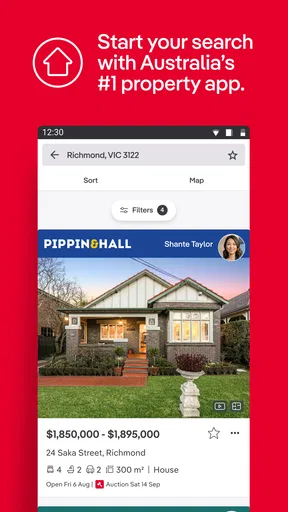
One of my favorite features has to be the extensive search filters. You can get super specific about what you’re looking for. Want a three-bedroom house with a pool in Melbourne? No problem. Just set your filters, and the app does the rest. You can even search by school zones, which is a must if you’ve got kids or are planning to start a family.
Filters are most helpful when the group uses them as a shared brief, not as a promise that every result is perfect. I’d begin with the essentials, then loosen one constraint at a time if the results feel too narrow. For example, a household might widen its area before giving up a bedroom requirement. That small change makes it clearer which compromise is creating useful options.
School-zone searching can help families rule in or out areas early, but I would treat the map and listing details as a starting point for further checking rather than the final word on a school decision. Likewise, a listing’s bedroom count does not tell you whether the layout suits everyone. Open the floor plan and consider how people will actually use the rooms, especially if someone works or studies at home.
Map View: A Game Changer
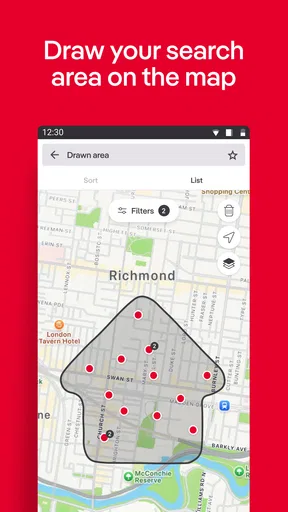
Now, if you’re a visual person like me, you’ll love the map view. It’s perfect for getting a sense of the neighborhood and seeing what's available in your chosen area. Plus, you can switch to satellite view if you want to get a real feel for the surroundings. It’s like taking a mini-tour without leaving your couch.
Worth Reading Before You Choose

Flipboard Shows What News Apps Must Do Beyond the Feed

Switching to Android Auto Means Rethinking Your Driving Routine

Google Calendar Makes a Crowded Week Easier to Manage

Ludo King Makes the Most of the Minutes Between Plans

Baby Panda World Brings Quick Play to Modern Phones, but Its Game Library Feels Busy

ESPN’s Live Game View Makes Following Close Games Easier
For shared decisions, the map helps turn vague location preferences into a useful conversation. Instead of saying “somewhere nearby,” you can compare where listings sit relative to the places your household visits regularly. Satellite imagery can add context, but it cannot replace visiting a street or checking travel routes at the times that matter to you. I’d use it to make a shortlist, then verify the daily commute and local feel in person.
A realistic routine might look like this: one person checks new rentals during a break, saves a few plausible options, and later the household reviews the property pages together. Each person can explain what matters to them, while the group dismisses listings that fail a non-negotiable requirement. This is more productive than forwarding every attractive photo and trying to reconstruct why it was saved.
Stay Updated with Notifications
Real estate is all about timing, right? The app’s notification system keeps you in the loop with real-time updates. You can set alerts for new listings, price reductions, or open homes, ensuring you never miss out on a great deal. It’s like having a personal assistant who’s always on the lookout for you.
Alerts are useful when the search is active, but I would keep them tied to a specific area and realistic criteria. Broad searches can create a steady stream of notices that everyone starts ignoring. If several people are looking, decide who will monitor notifications and how useful finds will be shared. That simple arrangement avoids duplicate effort and reduces the chance of turning a phone into a constant property feed.
It is also worth revisiting saved searches when your circumstances change. A household that initially needs to move quickly may later have more flexibility, or may discover that a different location works better. Adjusting the search is more helpful than treating the first set of filters as permanent. The app supports browsing, but the household still needs to make the decisions and keep its own notes about trade-offs.
The Inside Scoop on Properties
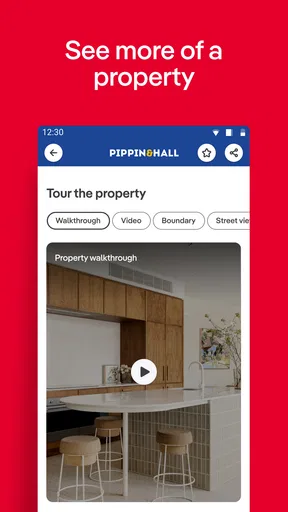
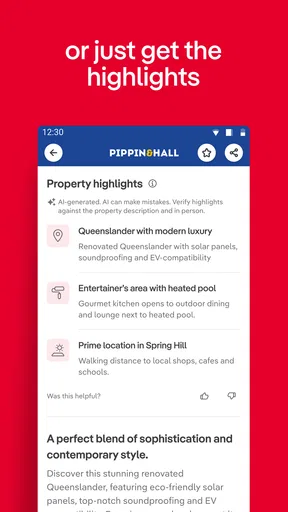
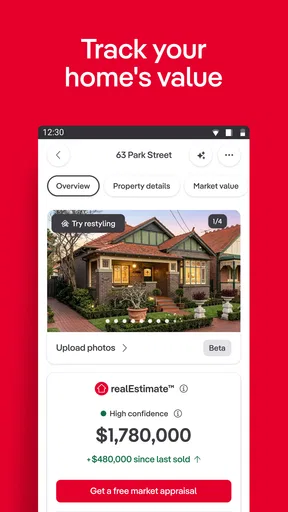
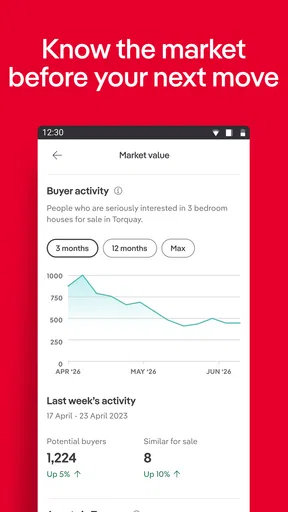
When you tap on a listing, you get a wealth of information. Each property page is packed with photos, floor plans, and detailed descriptions. It even includes property history and suburb profiles, which are super handy for understanding market trends. I love that the app gives you everything you need to make an informed decision all in one place.
For a useful comparison, I’d look beyond the hero photo. Check whether the floor plan matches how you would live in the home, read the description for conditions that affect your plans, and compare the property with other listings in the same search. Photos can make rooms look generous or obscure awkward layouts, so they are better for screening than for judging a home conclusively. Suburb profiles and property history add context, but they do not replace independent checks or professional advice when a decision has financial consequences.
One non-obvious way to use the listing page is to review it as a group with distinct questions in mind. One person can focus on the layout, another on the location, and another on the practical details in the description. That division makes a quick review more balanced, provided the group comes back together before deciding whether to contact an agent. It also helps keep personal preferences separate from facts shown on the page.
The app is free to download and is rated for Everyone. Its current version is 5.343.0, and it has been available since April 4, 2011. It has a 4.5 average from around 75,000 ratings and over 5 million installs. Those figures suggest it is a familiar choice for Australian property searches, but popularity should not be confused with a guarantee that every listing or detail will answer a buyer’s questions. Some in-app items cost $18.99 each, so I would check any purchase prompt carefully; ordinary browsing does not require treating optional purchases as part of the search plan.
Contacting Agents
Once you’ve found a property you’re interested in, contacting the agent is just a tap away. You can email or call directly from the app, making it super convenient to ask questions or schedule a viewing. This seamless communication feature really makes the whole process feel less daunting.
Before getting in touch, I’d write down the household’s questions and choose one person to make the first enquiry. Ask about the points that could change whether a viewing is worthwhile, then share the response with everyone involved. This prevents several people contacting the same agent with slightly different versions of the same request. It also gives the group a clearer basis for deciding whether to arrange a visit.
For a rental search, that coordination can be especially useful when people have different availability. One person can handle the initial message while the others compare schedules and decide who can attend a viewing. For a purchase, the first call is a way to clarify details and arrange the next step, not a substitute for inspecting the property or making proper checks. The app makes contact convenient; it does not remove the need to assess the home carefully.
Keeping Accounts and Expectations Sensible
When a phone or tablet is shared, I would keep the search routine straightforward: decide whose account is being used, avoid leaving personal messages open for everyone, and agree on how shortlisted homes will be discussed. I would not assume that a shared device creates separate household profiles or special family controls. If people need different privacy boundaries, separate devices or a clear agreement about signing in and out may be more appropriate.
The Everyone age rating makes the app suitable for general audiences, but property decisions still need adult judgement. Children can help point out what they like in a home, while an adult should assess affordability, location, listing details, and agent communication. The most useful family role for the app is often helping everyone see the same options, not asking younger household members to manage enquiries or make a consequential decision.
Compared with searching across general classified pages or relying only on an agent’s messages, this app is stronger as a focused place to browse Australian property listings and compare them in one workflow. A property professional remains useful for tailored guidance, while direct visits are essential for judging a home and its surroundings. If you are looking outside Australia, or want a tool devoted to property finance, tenancy management, or transaction paperwork, this is not the right all-in-one solution; its value is in finding and reviewing listings.
Why It’s Worth Downloading
If you’re in the market for a new home or just want to keep an eye on property trends, realestate.com.au - Property is a must-have. The app combines functionality with a touch of fun, making the search for property less stressful and more enjoyable. Plus, it’s free, so there’s really nothing to lose by giving it a try.
In a nutshell, whether you're a first-time buyer, seasoned investor, or just a curious browser, this app has something to offer. It’s efficient, informative, and just plain easy to use. So go ahead, download it and start your property journey today. Who knows? Your dream home might just be a click away.
I’d recommend it most to Australians who want a convenient way to browse, compare, and coordinate a search with other people in their household. Its filters, map, listing information, alerts, and agent contact options form a practical path from casual browsing to arranging a closer look. I would skip it if you need a service for another country, expect it to settle a property decision for you, or want household account controls that it does not claim to provide. Used as a discovery tool alongside direct checks and honest conversations, it earns a place on the phone without needing to become the household’s only source of advice.
Pros
- User-friendly interface for easy navigation.
- Comprehensive property listings nationwide.
- Detailed neighborhood insights available.
- Customizable search filters enhance usability.
- Regular updates improve app functionality.
Cons
- Occasional lag in loading property images.
- Limited offline access to saved properties.
- Push notifications can be overwhelming.
- Requires account for full feature access.
- Some areas have less detailed data.
FAQs for realestate.com.au - Property
What features does the realestate.com.au app offer?
The realestate.com.au app provides a comprehensive suite of features for property seekers. Users can search for properties to buy or rent, view high-quality photos and videos, explore suburb profiles, and access market insights. The app also offers notifications for new listings and allows users to save favorite properties.
Is the realestate.com.au app free to use?
Yes, the realestate.com.au app is free to download and use. While the core functionalities such as property searches and notifications are free, some advanced features or insights might require users to create an account or subscribe to additional services.
How accurate is the property information on the app?
The app provides detailed and up-to-date information sourced directly from real estate agents. While the platform strives for accuracy, it’s always a good idea for users to verify details directly with agents, especially for critical information like property dimensions or legal conditions.
Can I use the realestate.com.au app offline?
The app primarily requires an internet connection to access the latest property listings and updates. However, users can save certain properties or search results for offline viewing, making it convenient to access information without a data connection.
How does the app handle user data and privacy?
The realestate.com.au app takes user privacy seriously, employing robust security measures to protect personal information. Users can review the app's privacy policy to understand how data is collected, used, and shared, ensuring transparency and user control over personal information.


